OSITY Wood Classification Model
Deep Learning Research • EcoRefibre EU Project

 Open in Colab
Welcome to the OSITY Notebook
This notebook trains a YOLO11m-seg model to detect, classify, predict, count, and provide estimates of each class proportion of the total samples in an image, video, or live feed.
The method applied in this project is explained below:
- Images were taken with iPhone 12 Pro (24mm or 1x zoom distance) with a vertical distance between the object and the camera to be 40±6mm.
- Images are converted from .heic format to .jpg format for annotation in Roboflow.
- Roboflow is used to annotate (label), augment, and export the dataset into YOLO11 format for training.
- Google Colab is used to train, validate, test, run inference on both images and videos, and export the model for local deployment and use.
FBP
Fibreboard Pure - without surface finish or adhesives
FBC
Fibreboard Coating - with surface finish like paint
NW
Non-wood - materials with metals or nails
WBP
Wood-based panels - Plywood, particleboard, OSB
SW
Solid wood - planks without adhesives
Preparing the Notebook
Before training the model, let's install the required algorithms and frameworks we will need.
We will install the following:
- Ultralytics: Python package (PyTorch library) to train, validate, and run inference with YOLO models using a simple API.
- YOLO: YOU ONLY LOOK ONCE is a family of real-time object detection algorithms.
Mini Steps
- Install Ultralytics since it contains PyTorch library of tools we need
- Import YOLO algorithm since it contains the family of YOLO models
- Upgrade Ultralytics library for latest bug fixes and features
- Mount Google Drive since our dataset is saved there
- Import YOLO11m-seg for instance segmentation
GPU Check
First, let's verify the available GPU resources in our Colab environment.
!nvidia-smiInstall & Import Libraries
Install Ultralytics and import the YOLO model.
# Install Ultralytics
!pip install ultralytics
!pip install ultralytics --upgrade

# Import YOLO
from ultralytics import YOLO# Mount Google Drive
from google.colab import drive
drive.mount('/content/drive')# Check the version of Ultralytics
from ultralytics import __version__
print(__version__)Load Model
Import the YOLO11m-seg model for instance segmentation. This model will learn to detect and segment wood particles in images.
# Import YOLO11m-seg model
from ultralytics import YOLO
model = YOLO("yolo11m-seg.pt")# Verify model download
!ls -lh yolo11m-seg.pt# Inspect the model architecture (optional)
print(model.model)Prepare Dataset
The dataset was exported from Roboflow in YOLO11 format. Since the downloaded file is in a zipped format, we need to unzip it first.
# Unzip images to a custom data folder
!unzip "/content/drive/MyDrive/Particle classifier/Env/Iterations/v8/Particle Detection - Classifier.v8i.yolov11.zip"
Dataset Structure
├── train/
│   ├── images/
│   └── labels/
├── valid/
│   ├── images/
│   └── labels/
├── test/
│   ├── images/
│   └── labels/
└── data.yaml
Training the Model
To train our model, we experimented with two methods to evaluate the outputs:
- Regular Training: Following Ultralytics regular training procedure
- Fine-tuning hyperparameters: Using automated optimization before final training
Approach 1: Regular Training
This involves following the regular training procedure from Ultralytics with general parameters:
300
Epochs
640
Image Size
4
Batch Size
# Regular Training
model = model
results = model.train(
    data="/content/data.yaml",
    epochs=300,
    imgsz=640,
    batch=4)
Approach 2: Hyperparameter Fine-tuning
We used model.tune() because it automates a complex trial-and-error process that would be time-consuming when done manually. YOLO has many independent hyperparameters:
Learning Parameters
- • Learning rate (initial & final)
- • Momentum in optimizer
- • Weight decay (regularization)
- • Warmup epochs
Loss Gains
- • Box loss gain
- • Classification loss gain
- • Distribution focal loss gain
Color Augmentation
- • HSV hue, saturation, value
Geometric Augmentation
- • Degrees (rotation)
- • Translate, Scale, Shear
- • Flip, Mixup, Cutmix
# Fine-tune hyperparameters using the tune() method
results = model.tune(
    data="/content/data.yaml",
    epochs=25,
    iterations=50,
    batch=4,
    fraction=0.3,
    imgsz=640,
    optimize=True)
💡 What does this do?
This process tweaks different training settings (hyperparameters) to find the combination that gives the best model performance, usually in terms of mAP.
Validation
After training, we validate the model on the validation set to check performance metrics.
# Validate on the validation set defined in data.yaml
model = YOLO("/content/runs/segment/train/weights/best.pt")
metrics = model.val(
    data="/content/data.yaml",
    imgsz=640)
83%
mAP@50
67%
mAP@50-95
84.5%
Precision
81.2%
Recall
What happens during training?
The model sees input images and their ground truth (masks, boxes, and class labels), learns to make predictions, compares those predictions to the ground truths, calculates a loss (error), and adjusts its weights via backpropagation.
Generated Reports
- • Precision: How many of the model's predictions were correct
- • Recall: How many actual objects the model detected
- • mAP@50: Mean average precision at 50% IoU
- • mAP@50-95: Averaged over stricter thresholds
Model Inference
After training the model, we can run inference on new images or videos to see how well the model performs. The model can be used in real-time via webcam or deployed to edge devices.
# Assign model location
model = YOLO('/content/runs/segment/train/weights/best.pt')

# Assign the location of the inference file
source = '/content/drive/MyDrive/Env/Particle Classifier/Images/20250610_134908940_iOS.jpg'# Run inference with result processing
for r in model.predict(
source=source,
save=True,
stream=True,
imgsz=640,
batch=4,
conf=0.4):
# Process results for each frame
detections = r.boxes # Get bounding box results
num_objects = len(detections) # Count detected objects
class_labels = [r.names[int(cls)] for cls in detections.cls] # Get class labels
# Print results for the current frame
print(f"Frame processed: {num_objects} objects detected")
if num_objects > 0:
print(f"Classes: {class_labels}")Object Counting & Proportions
The goal of the project was to provide a concept that despite the similarity in the physical features of the samples, we can still use computer vision to classify them. Additionally, we count and calculate the proportion (%) of each class in an image or video frame.
import cv2
from ultralytics import solutions

# Define counting region
region_points = [(2500, 20), (2500, 4000)]
counter = solutions.ObjectCounter(show=True, region=region_points, model=model)

# Process image or video
if isinstance(source, str) and (source.endswith(".jpg") or source.endswith(".png")):
    im0 = cv2.imread(source)
    results = counter(im0)
    print("Class-wise counts:", results.classwise_count)
    cv2.imwrite("output_image.jpg", results.plot_im)
else:
    cap = cv2.VideoCapture(source)
    assert cap.isOpened(), "Error reading video file"
    w, h, fps = (int(cap.get(x)) for x in
        (cv2.CAP_PROP_FRAME_WIDTH, cv2.CAP_PROP_FRAME_HEIGHT, cv2.CAP_PROP_FPS))

    video_writer = cv2.VideoWriter("output_video.avi",
                                   cv2.VideoWriter_fourcc(*"mp4v"), fps, (w, h))
    while cap.isOpened():
        success, im0 = cap.read()
        if not success:
            break
        results = counter(im0)
        print("Class-wise counts:", results.classwise_count)
        video_writer.write(results.plot_im)

    cap.release()
    video_writer.release()
Export Model
After training, export the model for deployment. The model can be exported to various formats including ONNX for cross-platform compatibility.
# Export the model to ONNX format
model.export(format="onnx")# Zip important files for backup
import shutil
folder_path = "/content/runs"
shutil.make_archive("runs_backup", 'zip', folder_path)
# Download the files from Colab
from google.colab import files
files.download("runs_backup.zip")Live Demo
Try the model yourself! Upload an image containing recycled wood particles and the OSITY model will detect, classify, and calculate proportions for each class in real-time.
If the embed is sleeping or slow to wake up, open the Hugging Face Space directly in a new tab.
Gallery
Sample outputs from the OSITY model showing detection and classification results.
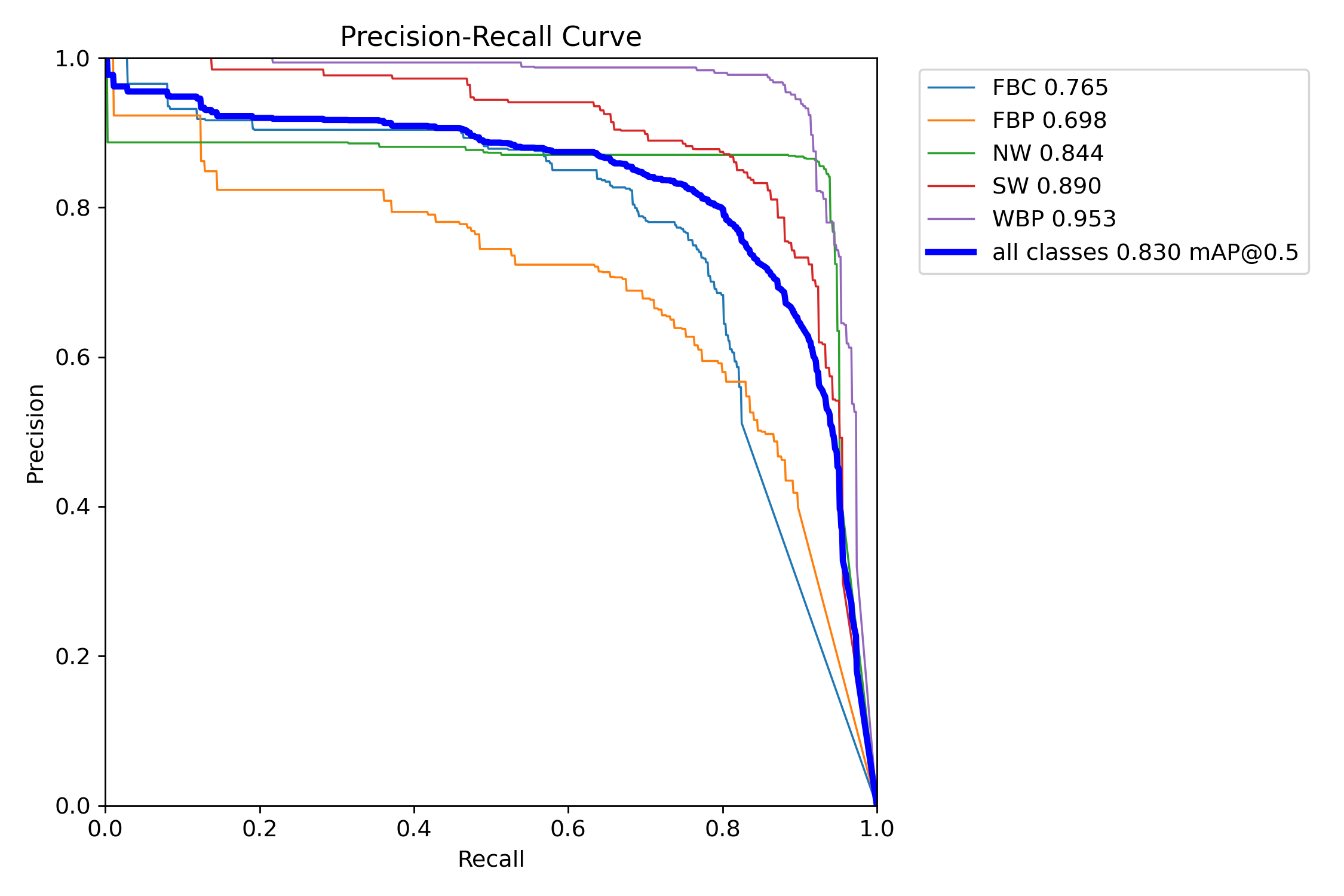
Validation Output - mAP Metrics
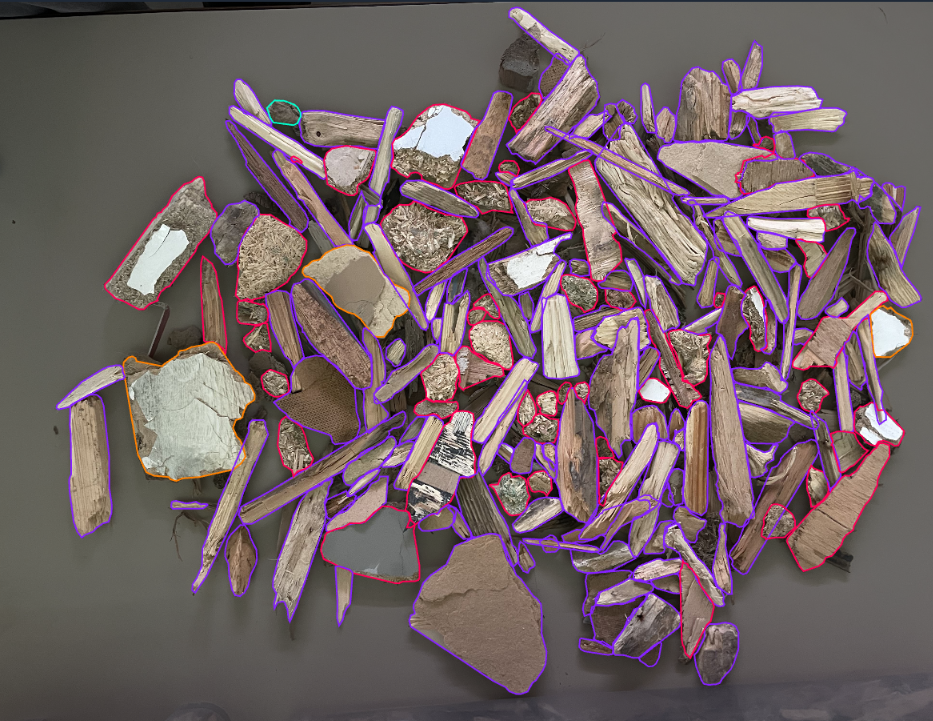
Data Annotation with Roboflow
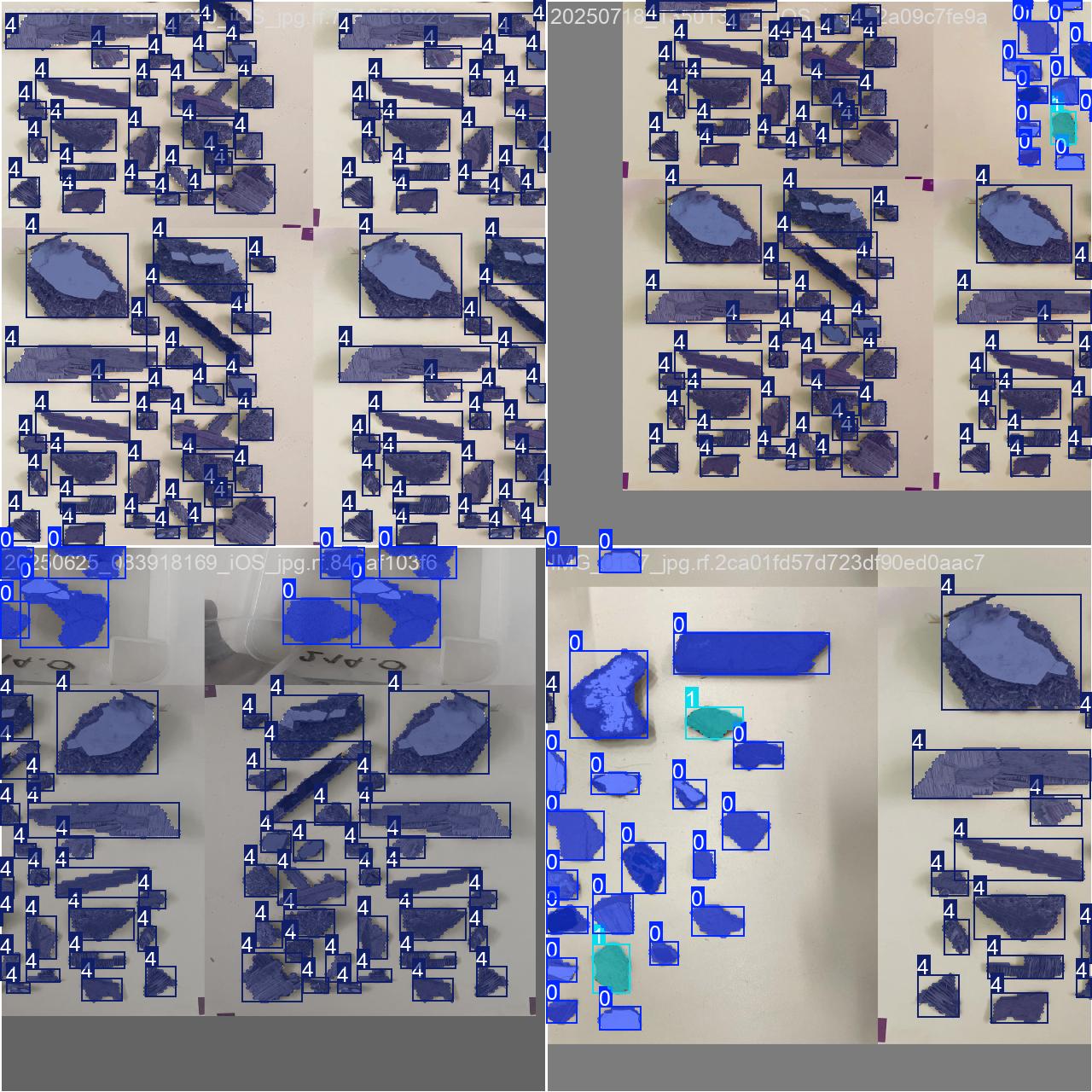
Training Batch Sample
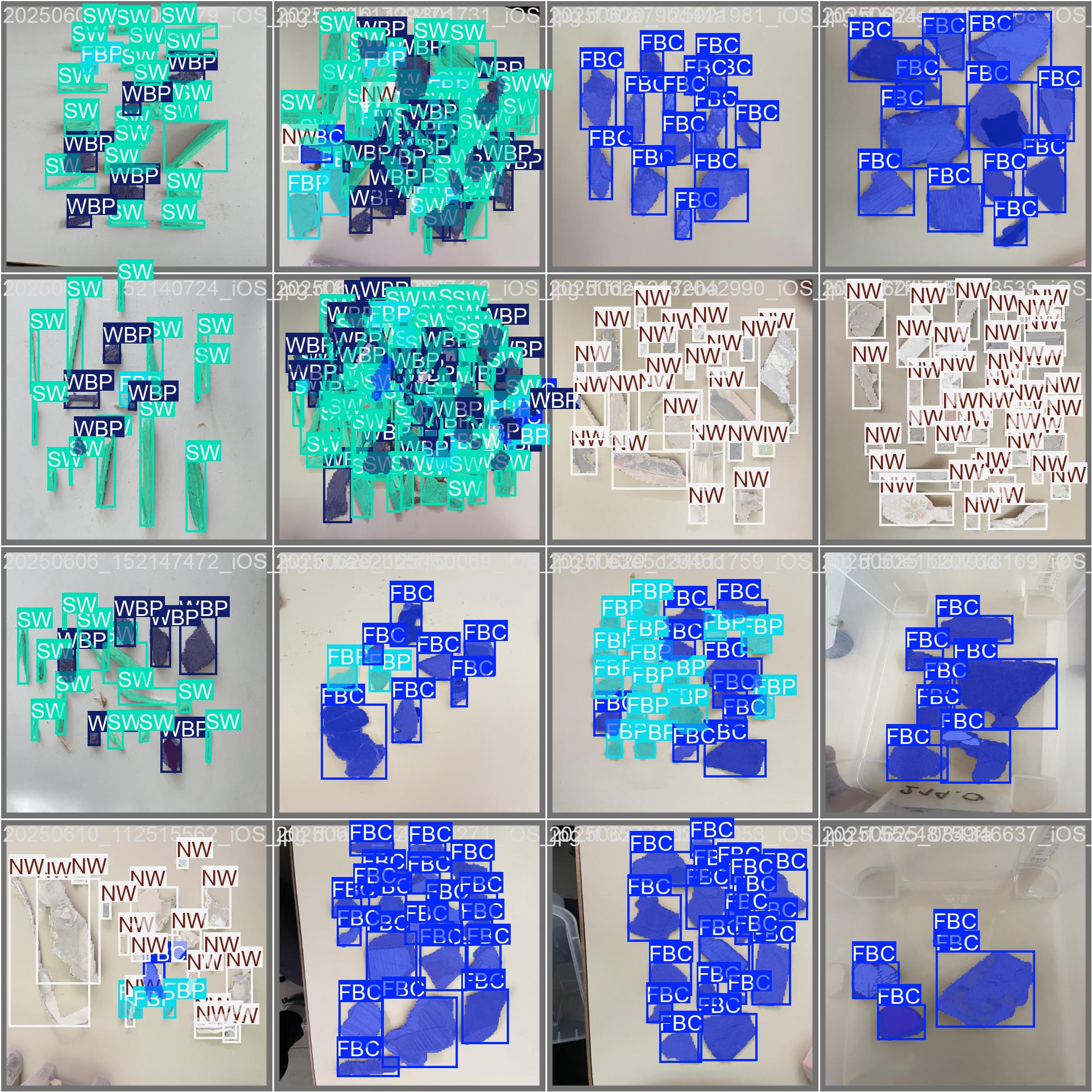
Validation Batch with Labels
Acknowledgments
I want to extend my thanks and appreciation to Prof. Mark Irle, the EcoRefibre project, and École Supérieure du Bois (Nantes, France) for the wonderful opportunity to freely explore this task as my personal project during my internship.
Thanks to my fellow interns for the help and insights provided during this period.
It is my hope that my work can inspire someone and can be advanced for real-world use.
— Tim Casanda Gibson
Project Links
Related Resources
- Ultralytics YOLO Documentation — docs.ultralytics.com
- Roboflow Universe — universe.roboflow.com
Changelog & Live Updates
Release History & Commits
Latest updates for OSITY Wood Classification Model
Fetching latest changes from GitHub...